
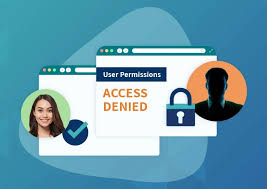
It might seem like a big task, but learning about user access review is simpler than you think. Many people find it a bit confusing at first. This is because it touches on many parts of how computers work.
Don’t worry, we will break it down easily for you. You will learn how to do a user access review step by step. Let’s get started and make it clear.
Key Takeaways
- You will learn what a user access review is.
- We will explain why it is important for security.
- You will discover how to perform a basic review.
- We will cover common challenges and how to avoid them.
- You will find simple tools to help with the process.
- This will give you confidence in managing access rights.
What Is User Access Review
A user access review is like checking who has permission to see and use different parts of a computer system. Think of it like a security guard checking badges at a building. Every person should only have access to the rooms they need for their job.
This review checks if those permissions are still correct. It helps make sure only the right people can get to sensitive information.
This process is important because people change jobs, leave the company, or get new responsibilities. If their access rights aren’t updated, they might still be able to see things they shouldn’t. This could lead to mistakes, data leaks, or even security breaches.
Regularly checking who has what access helps keep everything safe and organized.
Why It Matters For Security
Security is a major reason for doing user access reviews. When people have too much access, it creates weak spots. A hacker could potentially get into an account with broad permissions and cause more damage.
Or, an employee might accidentally see or share something they were not supposed to. This can lead to fines or damage to a company’s reputation. Doing reviews stops these problems before they start.
These reviews also help meet rules set by governments and industries. Many laws require companies to protect customer data. A user access review is a key part of showing that a company is following these rules.
It proves they are actively managing who sees what information.
Common Access Permissions
In computer systems, there are different levels of access. A user might have “read-only” access. This means they can see files but cannot change them.
Other users might have “read and write” access, allowing them to view and edit files. Some users need “administrator” access, which gives them control over the entire system. Understanding these levels is key to a good review.
Another type of permission is “execute” access. This allows a user to run specific programs or applications. Sometimes, access is given to specific folders or databases.
It’s important to know which resources users need and what they can do with them. This detail helps ensure that only necessary access is granted.
The Review Process Explained
The review process starts with making a list of all users. Then, for each user, you list what systems and data they can access. After that, a manager or supervisor checks this list.
They decide if each user still needs all the access they have. If something is not needed, it gets removed. It’s a way to clean up who has access to what.
This isn’t a one-time task. It should be done regularly, maybe every few months. This keeps the access lists up to date as people’s roles change.
It’s like keeping your house keys organized. You don’t want old keys lying around that don’t open anything anymore, or worse, keys that could open doors they shouldn’t.
How To Perform A User Access Review
Performing a user access review involves a few clear steps. It’s about being organized and checking carefully. The goal is to ensure that every user has only the permissions they absolutely need for their job duties.
This process helps protect sensitive information and maintain system integrity.
When you start, it might seem like a lot of information to handle. But by breaking it down, it becomes manageable. We will go through each part so you can feel confident doing your own reviews.
Step 1 Gathering Information
The first thing you need is a complete list of all active users. This list should include their names, roles, and which department they belong to. You also need a list of all the systems, applications, and data where users have access.
This might include shared drives, databases, and specific software programs. Getting this information can sometimes be challenging.
You may need to get reports from different IT systems. For example, your HR system can provide user lists, while Active Directory or similar tools show system access. You want to make sure this information is as accurate and current as possible.
An incomplete or outdated list will make the review less effective.
Step 2 Identifying Access Rights
Once you have the user list, you need to figure out exactly what each user can do. This means looking at the permissions assigned to them in each system. For example, User A might have access to the sales folder and can create new files.
User B might only have read-only access to the marketing reports folder.
This step requires careful attention to detail. You are essentially mapping out each user’s digital footprint. Understanding the different types of access, like read, write, delete, or administrator rights, is very important here.
This detailed view is what you will present to the approvers.
Step 3 Managerial Approval
This is a very important step. The list of users and their access rights is given to the person’s manager. The manager’s job is to review each item.
They need to confirm if the user really needs all the access they have. For instance, if a marketing assistant is listed as having access to HR files, the marketing manager would flag that.
The manager will either approve the current access, request changes, or deny access that is no longer needed. This is where decisions are made about who gets to keep what access. It requires the manager to know their team’s daily tasks and requirements well.
Their sign-off is critical for the review’s validity.
Step 4 Implementing Changes
After the managers have approved the access lists, the IT team or security department makes the necessary changes. This might mean removing access for some users. It could also mean adjusting permissions for others to give them more or less access as needed.
The goal is to align everyone’s access with what their manager approved.
This step must be done carefully. Incorrectly removing or granting access can cause new problems. Double-checking each change is a good practice.
It ensures that the system reflects the decisions made during the approval phase accurately.
Step 5 Documentation and Scheduling
It is vital to keep records of every user access review. This documentation shows that the review was performed and what actions were taken. It is useful for audits and to track changes over time.
You should also schedule the next review. Regular reviews are essential for ongoing security.
A good schedule might be quarterly or semi-annually. The frequency can depend on the size and sensitivity of your organization. For highly sensitive data, more frequent reviews might be necessary.
Good documentation and scheduling help maintain a strong security posture.
Common Challenges And Solutions
While user access reviews are vital, they can present challenges. These issues often arise from the complexity of IT systems and the human element. However, with smart strategies, these hurdles can be overcome effectively.
Understanding these common problems helps you prepare and find solutions. This makes the entire review process smoother and more successful. Let’s look at some of these challenges and how to tackle them.
Challenge 1 Inaccurate Data
Sometimes, the information you start with is not correct. User lists might be out of date, or system logs might be missing entries. This can happen if systems are not properly managed or if new employees are not entered correctly.
To solve this, always start by verifying your data. Work closely with HR to confirm all active employees. Cross-reference access reports from different systems to spot any mismatches.
Before presenting to managers, do a quick check yourself to catch obvious errors. Accurate data is the foundation of a good review.
Challenge 2 Managerial Bottlenecks
Managers are often very busy. Getting them to review and approve access lists on time can be difficult. This can delay the entire process and leave systems vulnerable for longer.
To address this, make the process as easy as possible for managers. Provide clear summaries and highlight any access that looks questionable. Set clear deadlines and send reminders.
You can also train managers on why these reviews are important. Sometimes, getting buy-in from their superiors can help emphasize the urgency.
Challenge 3 Lack Of Clear Roles
If job roles are not clearly defined, it becomes hard for managers to know what access is appropriate. If someone’s duties are vague, their access rights might also be vague.
This is where good job descriptions are helpful. If roles are unclear, work with HR and department heads to define them better. This makes it easier to assign the right level of access for each position.
Clear roles lead to clearer access requirements and a more efficient review.
Challenge 4 Technical Glitches
Sometimes, the tools used to gather access information or to make changes might not work perfectly. Systems can crash, or reports might be generated in hard-to-read formats.
Having backup plans is useful. If one system is down, try another way to get the information. For report formatting, use tools that can convert data into a usable format, like spreadsheets.
Regular maintenance of IT systems can also prevent many technical issues before they arise.
Challenge 5 Forgetting To Review
The biggest challenge is simply not doing the review at all, or doing it too rarely. Life gets busy, and it’s easy to let important but non-urgent tasks slide.
The best solution is automation and scheduling. Use tools that can help automate parts of the process. Set reminders for yourself and your team for scheduled review periods.
Make it a standing agenda item for IT or security meetings. Treat it like any other critical business process.
Tools For User Access Review
There are many tools that can help make user access reviews easier and more effective. These range from simple built-in system features to specialized software. Using the right tools can save time and reduce errors.
The best tool for you will depend on the size of your organization and your budget. However, even basic tools can significantly improve the process.
Built-in System Tools
Most operating systems and cloud services have some built-in features for managing users and permissions. For example, Microsoft Windows Active Directory allows administrators to see user accounts and the groups they belong to. Cloud platforms like Google Workspace and Microsoft 365 also offer admin consoles to manage user access.
These tools are often a good starting point. They are usually included with the software you already use. You can generate reports on who has access to what resources.
However, they may require manual work to consolidate information from different systems.
Spreadsheets For Simplicity
For smaller organizations, spreadsheets like Microsoft Excel or Google Sheets can be very effective. You can create templates to list users, their roles, and their access. Managers can then easily review and add comments directly in the spreadsheet.
Spreadsheets are flexible and easy to use. You can sort, filter, and organize data as needed. The main downside is that they can become difficult to manage as the number of users grows.
They also don’t offer automation, so data entry can be time-consuming.
Here is a simple example of how a spreadsheet might look:
| User Name | Role | System | Access Level | Manager Approval |
|---|---|---|---|---|
| Alice Smith | Sales Associate | CRM | Read/Write | Approved |
| Bob Johnson | HR Assistant | HR Files | Read | Needs Review |
| Charlie Brown | Marketing Intern | Marketing Drive | Read | Revoke Access |
Specialized Identity And Access Management IAM Software
For larger businesses, specialized Identity and Access Management (IAM) software is often necessary. These platforms are designed to automate and streamline the entire access review process. They can connect to various systems to pull user data and access rights.
IAM tools can often automate reminders for managers, track review progress, and generate compliance reports. They can also help with tasks like provisioning and de-provisioning access. Examples include Okta, Azure AD Identity Governance, and SailPoint.
These solutions offer advanced features for security and efficiency.
Benefits Of Using Tools
Using tools for user access review brings several benefits. First, they improve efficiency by automating repetitive tasks. This saves time for IT staff and managers.
Second, they increase accuracy by reducing manual data entry and potential human errors. Third, they enhance security by ensuring that access rights are consistently reviewed and updated.
These tools also help with compliance. Many regulations require regular access reviews, and these tools can generate the necessary reports to prove compliance. They provide a clear audit trail of who approved what access.
This is invaluable for any organization.
User Access Review Scenarios
Let’s look at some real-world examples of how user access reviews work in practice. These scenarios highlight common situations and how a review process can help.
Understanding these examples can help you see the value of user access reviews in different contexts.
Scenario 1 Employee Departure
Imagine an employee, Sarah, leaves a company. Before she leaves, a user access review is scheduled. Her manager reviews her access and sees she had access to several sensitive project files and a special software license.
During the review, the manager confirms that Sarah’s access should be immediately revoked upon her departure. This ensures that no former employee can access company data after they are no longer with the organization. The IT team then uses the review outcome to quickly disable her accounts and remove her permissions.
Scenario 2 Role Change
John was a junior developer. He was recently promoted to lead developer. His access previously allowed him to test code but not deploy it to production servers.
Now, as lead developer, he needs permissions to deploy code.
The user access review process identifies this change. His manager reviews his access and requests an update. The IT department then grants him the necessary deployment permissions.
This ensures he has the tools he needs for his new role while still maintaining security by only granting specific, necessary access.
Scenario 3 New Project Onboarding
A new project called “Phoenix” is starting. A team of five employees is assigned to it. They need access to a new shared folder and a specific project management tool.
Instead of ad-hoc access, a user access review is conducted for this new team. The project manager approves the access required for each team member to the Phoenix project resources. This ensures that only the authorized project team members get access from the start.
It also creates a record of who has access and why.
Sample Review Checklist
When conducting a review, a checklist can be very useful. Here’s a simplified sample:
- Is this user still employed by the company?
- Does this user’s current role require all the access they have?
- Are there any permissions that could be reduced or removed without impacting job performance?
- Has the user undergone any recent role changes or promotions?
- Is this access consistent with the principle of least privilege?
Each point on this checklist should be answered by the user’s manager or a designated approver. The answers help determine if access should be maintained, modified, or revoked.
Common Myths Debunked
There are several common misunderstandings about user access reviews. Let’s clear up some of these myths so you have a better understanding.
Myth 1 User Access Review Is Only For IT
Many people think that only the IT department needs to worry about user access reviews. They believe it’s purely a technical task.
The reality is that user access reviews involve everyone. While IT manages the systems, it is the department managers and business leaders who best understand what access is needed for daily operations. Their input and approval are essential for the review to be effective and accurate.
Myth 2 It Is A One-Time Task
Some believe that once a user access review is done, the job is finished. They see it as a project to complete and then forget about.
This is incorrect. User access review is an ongoing process. People change roles, leave the company, and new employees are hired constantly.
For effective security, these reviews must be performed regularly, such as quarterly or semi-annually, to keep access rights current.
Myth 3 More Access Is Always Better
There can be a mistaken belief that giving users more access rights is helpful. The idea might be that if they need something later, they won’t have to ask for it, saving time.
This is a dangerous myth. The principle of least privilege states that users should only have the minimum access necessary to perform their job duties. Granting excessive access increases the risk of data breaches, accidental data modification, or misuse of information.
It’s better to grant access when it’s truly needed.
Myth 4 It Is Just About Removing Access
Some people think that the sole purpose of a user access review is to take away permissions. They see it as a way to cut down on access.
While revoking unnecessary access is a key part, it’s not the only goal. The review also ensures that employees have the correct access they need to do their jobs effectively. If someone’s role has changed and they now need more permissions, the review process allows for that to be granted safely after proper approval.
Frequently Asked Questions
Question: Who is responsible for approving user access reviews
Answer: Typically, department managers or team leads are responsible for approving access for their team members. They understand the daily job functions and can confirm if the requested access is necessary.
Question: How often should user access reviews be performed
Answer: The frequency depends on the organization’s risk level and regulatory requirements. Common practices include quarterly or semi-annual reviews. Critical systems may require more frequent reviews.
Question: What is the principle of least privilege
Answer: The principle of least privilege means users should only be granted the minimum level of access required to perform their job duties. This helps reduce security risks.
Question: Can user access reviews help with compliance
Answer: Yes, user access reviews are a critical component of compliance with many data protection regulations, such as GDPR and HIPAA. They help demonstrate that access to sensitive data is controlled and monitored.
Question: What happens if user access reviews are not done regularly
Answer: Not performing regular user access reviews can lead to security vulnerabilities, increased risk of data breaches, accidental data leaks, and potential non-compliance with regulations.
Final Thoughts
Performing a user access review is a vital part of keeping your systems secure. By regularly checking who has access to what, you prevent unauthorized access and data misuse. This simple process helps protect your organization’s valuable information.
Make user access review a regular habit for better security.